Quote to invoice, one click.
Approve a quote and generate a branded, professional invoice instantly, no re-typing line items, no copy-paste, no separate accounting tool. Customers view and pay in their portal, and you watch every invoice move from sent to paid.
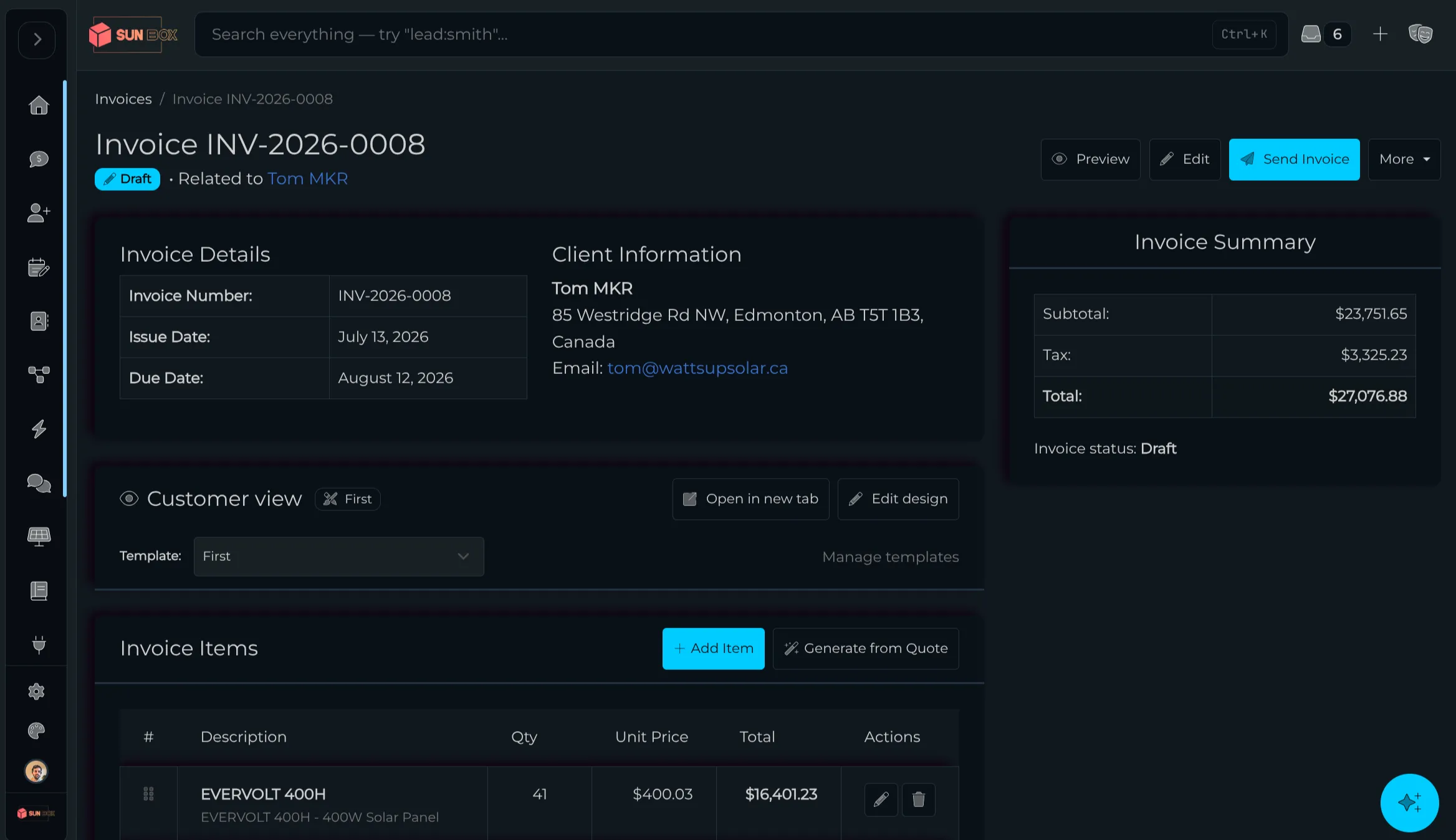
From the sold quote to paid, in one place.
Billing isn't a separate step in a separate tool. It's the natural end of the sale you already made in Powerlily, so nothing gets re-typed and nothing falls through the cracks.
One-click generation
Build the invoice straight from any approved quote. Line items, quantities, pricing, taxes, and customer details carry over verbatim, so there's no re-entry and no transcription errors.
Branded PDF
Every invoice carries your logo, colors, and company details, the same brand your customer saw on the proposal. Download it for your records or send it straight to the customer.
Viewed and paid in the portal
Invoices post automatically to the customer's branded portal behind secure, token-protected access. They review the details and settle up without ever leaving your brand.
One connected trail from quote to paid.
Every invoice reports its status right alongside the deal in your CRM, no spreadsheet of who still owes you, no separate ledger to reconcile against the sale.
-
Step 1 Quote approved The customer signs off on the proposal you built in Powerlily.
-
Step 2 Invoice generated One click turns that quote into a branded invoice, ready in seconds.
- Step 3 Delivered to portal It posts to the customer's secure branded portal for review and payment. Learn more
- Step 4 Tracked to paid Sent, viewed, and paid status lives next to the customer record. Learn more
Quote, invoice, paid, all in one place.
Billing isn't a separate step in a separate tool. It's the natural end of the sale you already made in Powerlily.
invoice from any approved quote
re-typing of line items or details
professional PDF on every invoice
sent, viewed, and paid tracking
Get paid without the busywork.
Approve the quote, click once, and the branded invoice is on its way. Start billing straight from the sale.