Your Powerlily field companion, in your pocket.
Lilypad brings Powerlily into the field. The native Android companion app gives installers, canvassers, closers, and customers the tools they need while staying synced with the CRM and client portal your office already runs on.
Lilypad is now available for Android
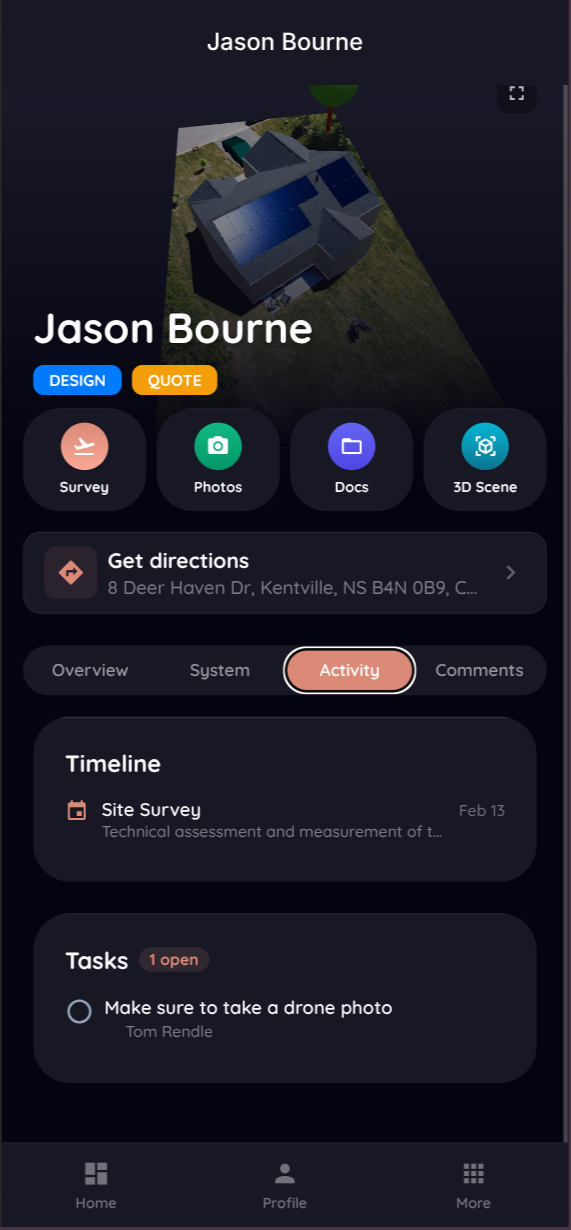
Every project, on the job site.
Pull up any project the moment you arrive. Customer details, system specs, site notes, and documents load right on your phone, so your crew stops calling the office to ask what's next.
- Customer contact info and site address, one tap to navigate
- System design specs and equipment lists for the install
- Site survey notes and special instructions from the sales team
- Contracts, permits, and spec sheets attached to the project
- Offline access, so weak signal on the roof never stops the crew
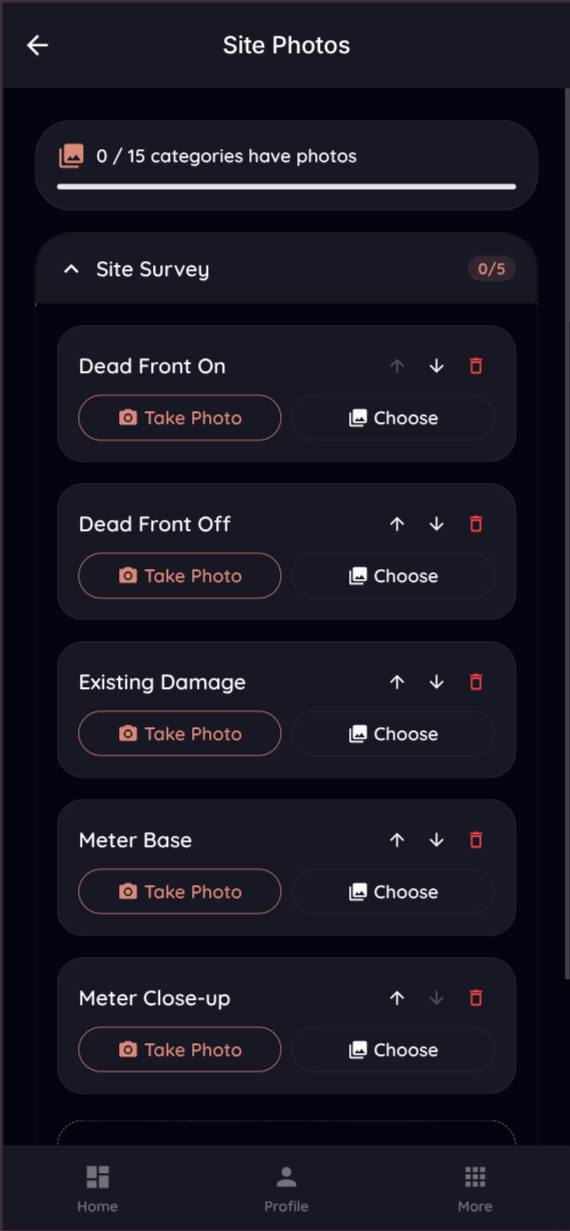
Capture the install, right from the roof.
Snap progress and completion photos, scan inspection documents, and attach them straight to the project. No more emailing photos back to the office and hoping they land on the right job.
- Photo capture auto-tagged to the current project
- Staged photo checklists for survey, rough-in, and final, with required shots
- Document and file uploads from the device
- Progress photo timeline for every install
- Everything syncs to the web app the moment you save
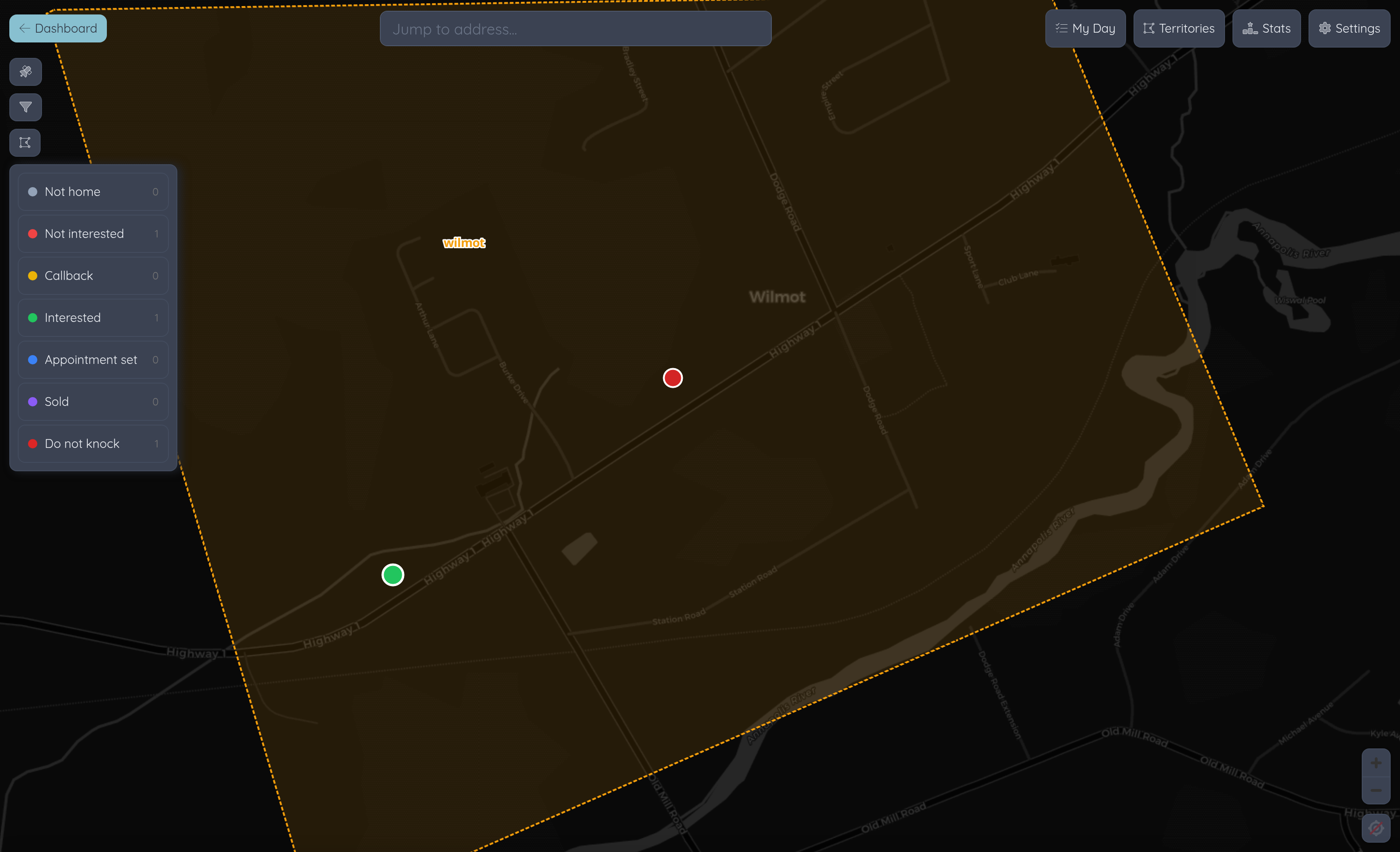
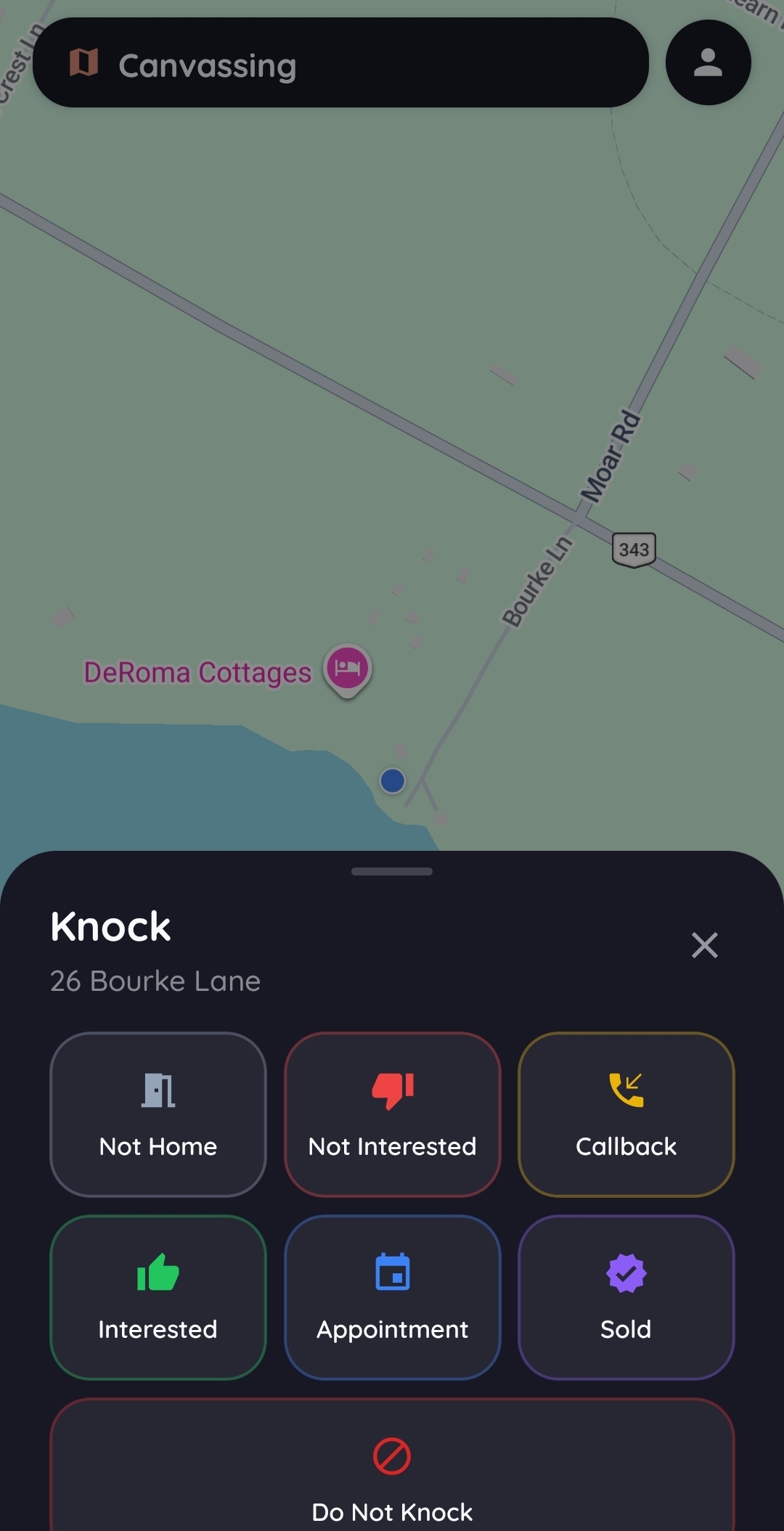
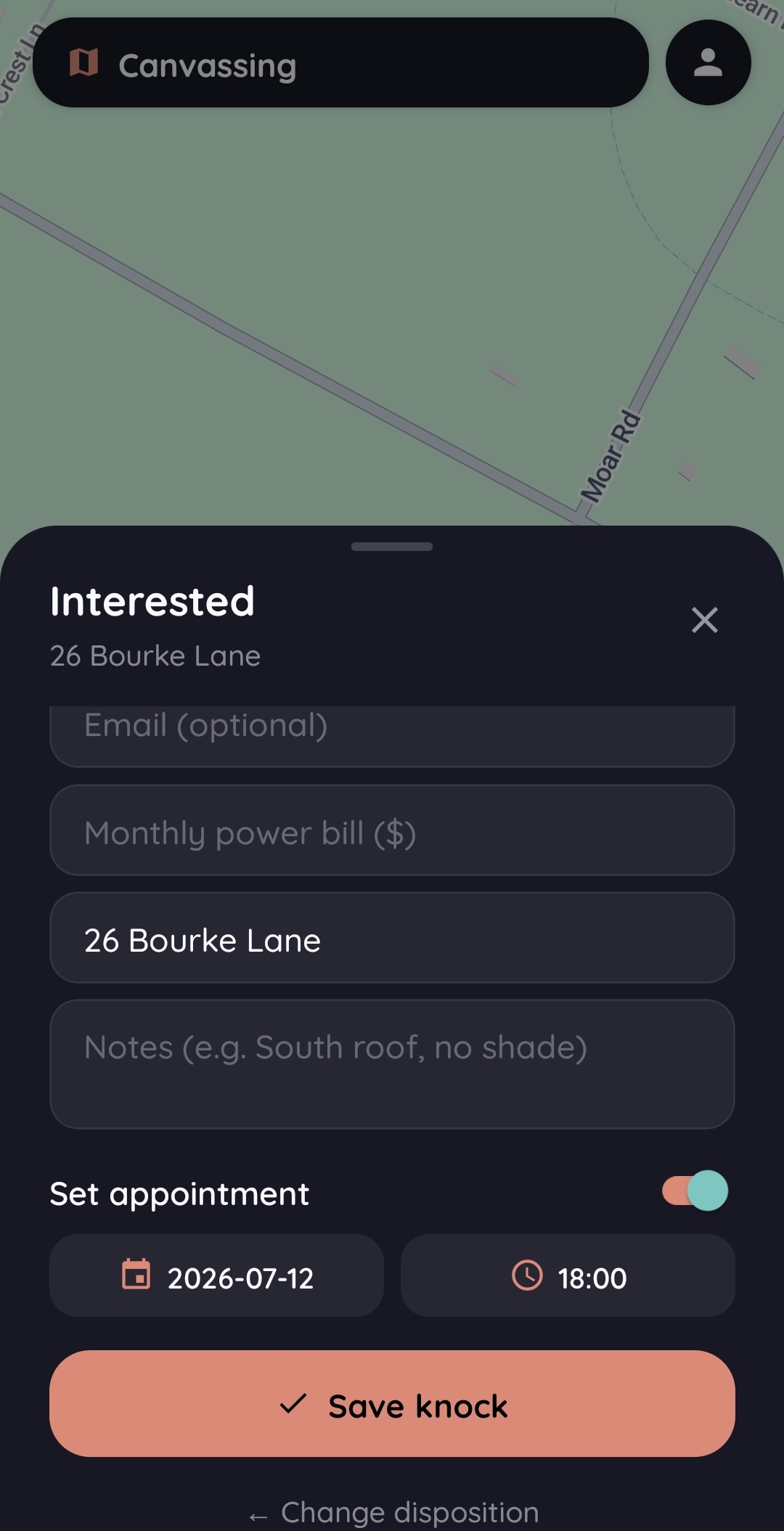
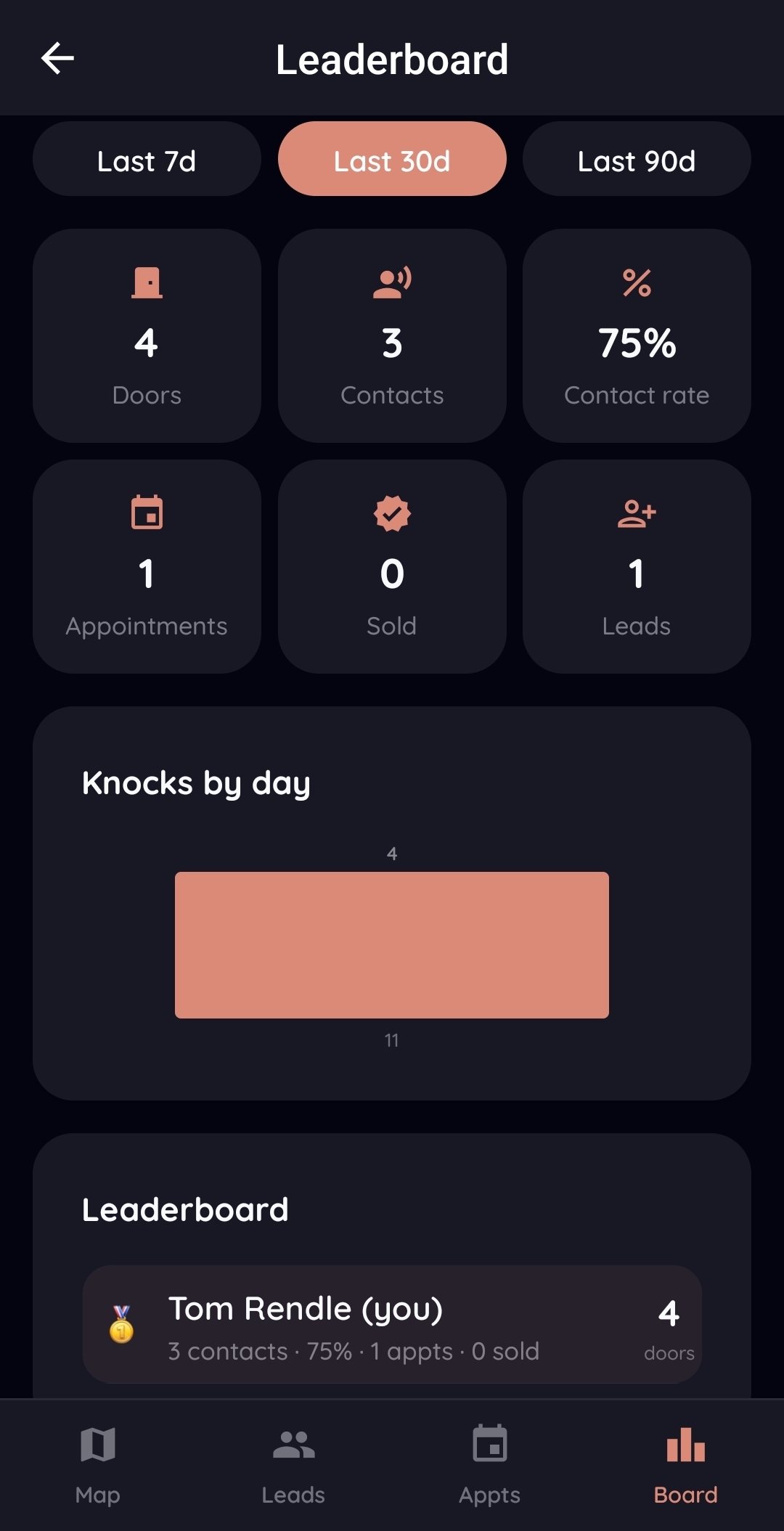
Knock doors, own the neighborhood.
A full door-to-door operation lives in the same app. Draw territories, watch every knock land on the map, capture the lead on the doorstep, and let the leaderboard sort itself out. Door-knocking apps charge per rep for this. Here it rides along with your CRM.
- Live territory map with every knock pinned, so no rep double-knocks a street
- One-tap outcomes at the door, from Not Home to Callback to Sold
- Capture contact details, power bill, and notes, and book the appointment on the spot
- My Day lines up appointments and nearby follow-ups, sorted by distance
- Leaderboards track doors, contacts, appointments, and sales across the team
- Do-not-knock homes are flagged, and the app warns reps who wander close
- Dead zone? Knocks queue on the phone and sync when coverage returns
Know the moment it happens.
The app taps you on the shoulder when something moves: a proposal gets opened, a contract gets signed, a lead books, a teammate mentions you. Every alert deep-links straight to the project, and the in-app feed keeps the history.
- A proposal is viewed or signed, and the closer knows in seconds
- New leads and booked appointments land on the right rep's phone
- Task assignments and mentions follow the crew into the field
- Client messages and portal activity never sit unread overnight
- A notification center in the app keeps the trail, marked read or not
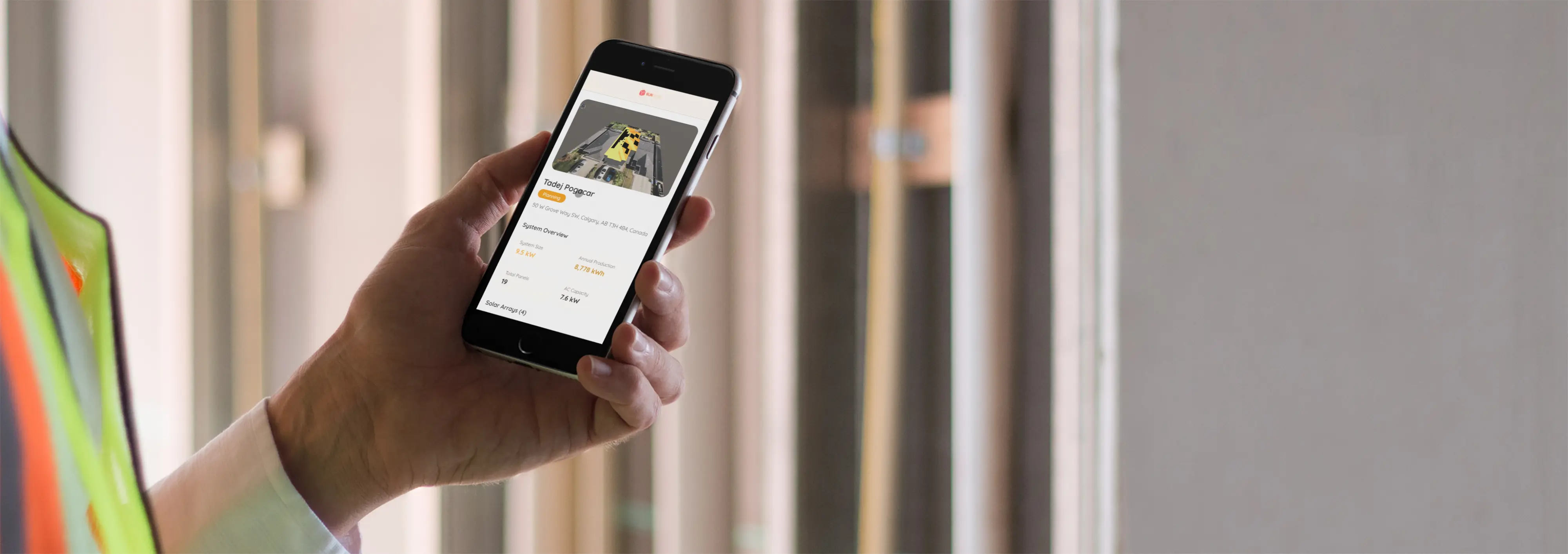
Measurements and notes, no paperwork.
Log site survey measurements, record install notes, and complete checklists on the device. The data goes straight to the project record, so the office is never re-keying a clipboard.
- Site survey measurements captured in the field
- Installation checklists and sign-offs on the device
- Notes and comments visible to the whole team
- Captured offline and synced automatically when back in signal
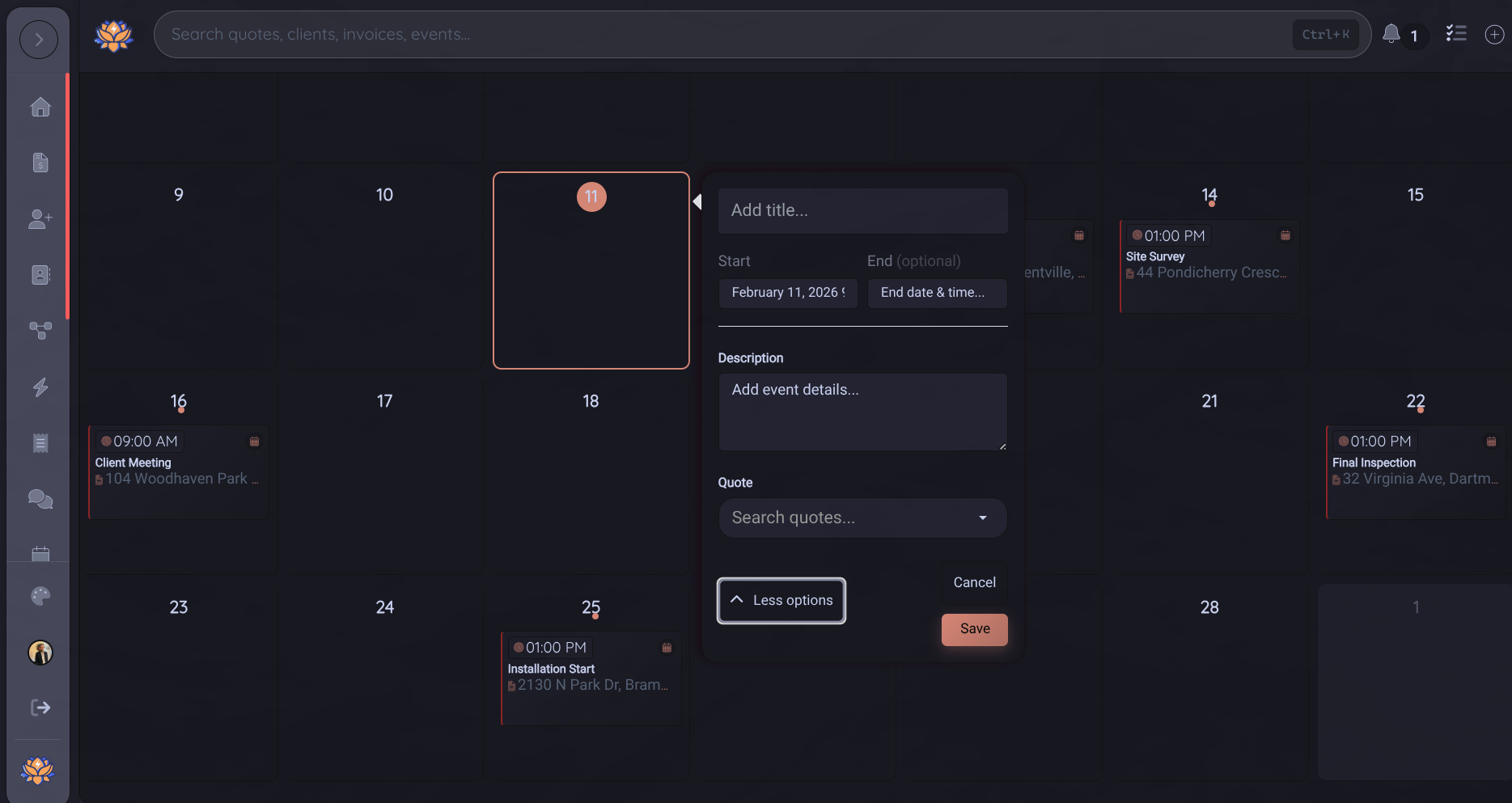
The office plans it. The crew carries it.
Every installer sees the visits assigned to their crew with the time, address, work type, project context, and latest notes. Field status flows back as they dispatch, travel, arrive, pause, and complete the work, so the office and customer are never waiting on a check-in call.
- Assigned crew visits and project context on the phone
- Assigned jobs and appointments can sync to Google Calendar
- Dispatch, en route, on site, paused, and completed statuses
- Directions, customer details, notes, tasks, and documents together
- Schedule changes stay synchronized with the office and customer
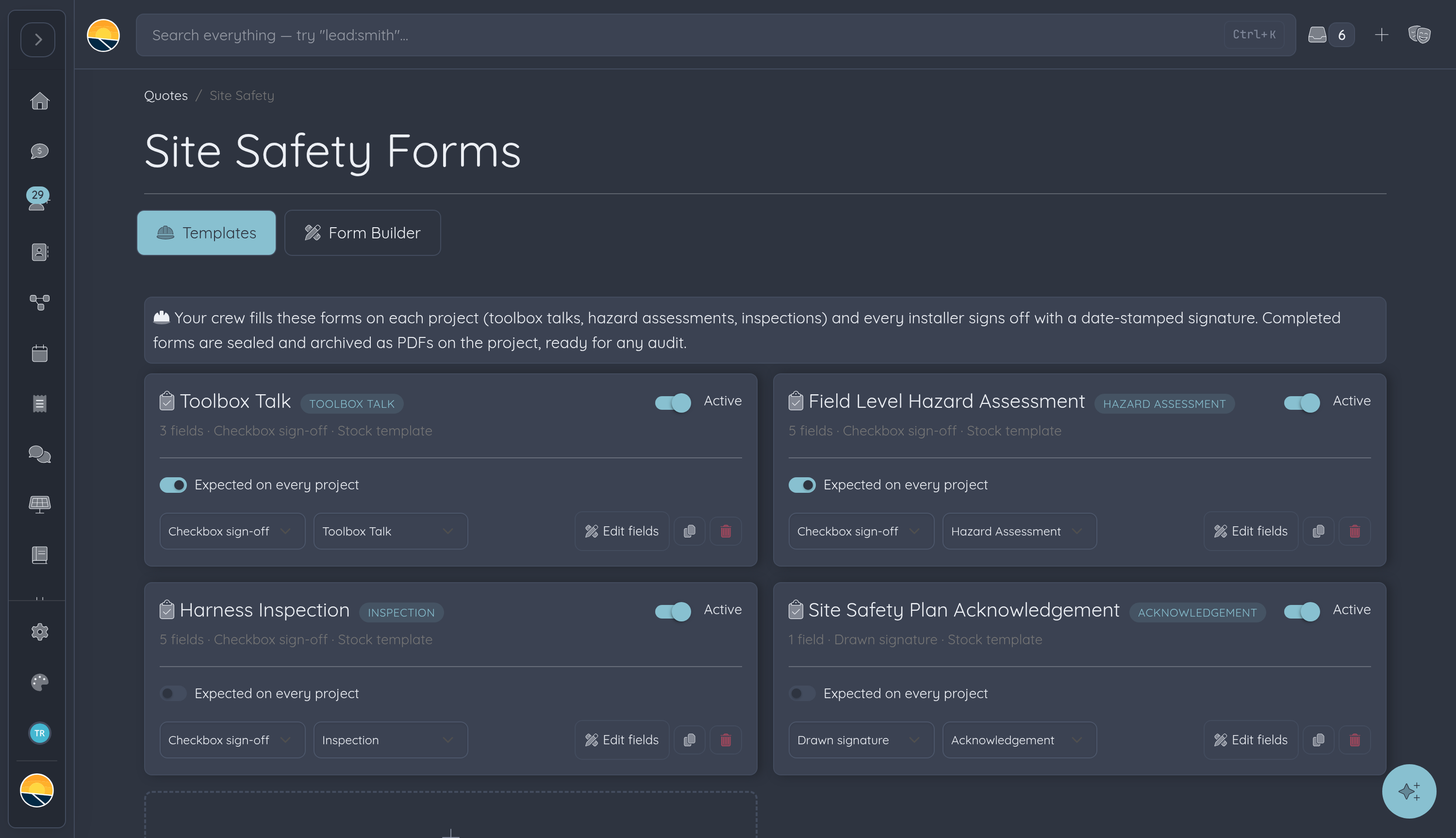
The toolbox talk, signed at the tailgate.
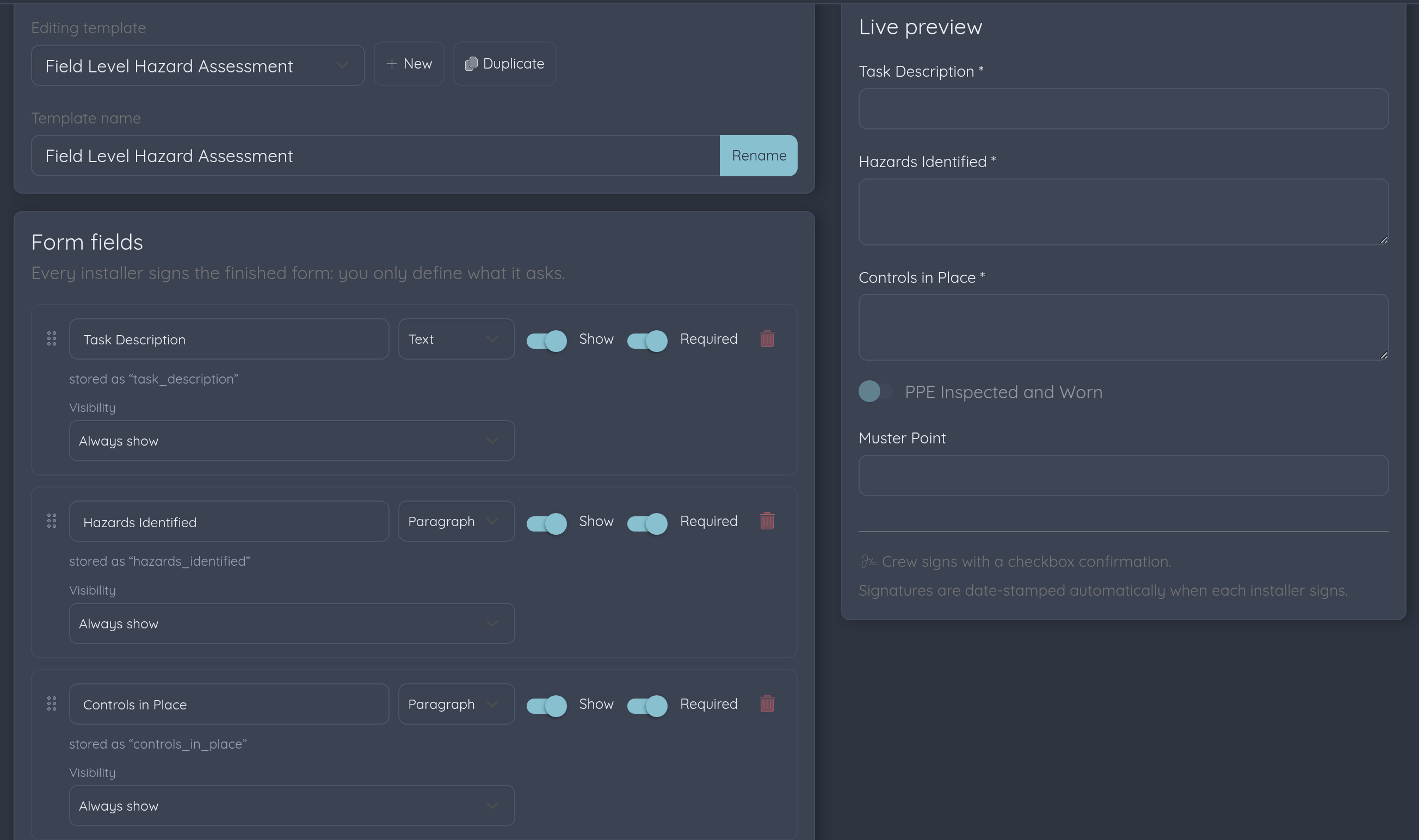
Safety paperwork lives on the project too. Run the morning toolbox talk or hazard assessment from a phone, pass it around the crew, and every installer signs with an automatic date stamp and optional GPS proof they were on site. Completed forms seal and archive as PDFs, ready for any audit.
- Toolbox talks, hazard assessments, and inspections on the device
- Each crew member signs individually, date-stamped automatically
- Optional GPS stamp shows the form was signed on site
- Sealed PDF records archive on the project for audits
Update the project from the roof.
Move a project to the next stage the second the work is done. The status flows into the CRM your office runs on and lights up the customer's portal, no phone call required.
- Real-time project status updates from the field
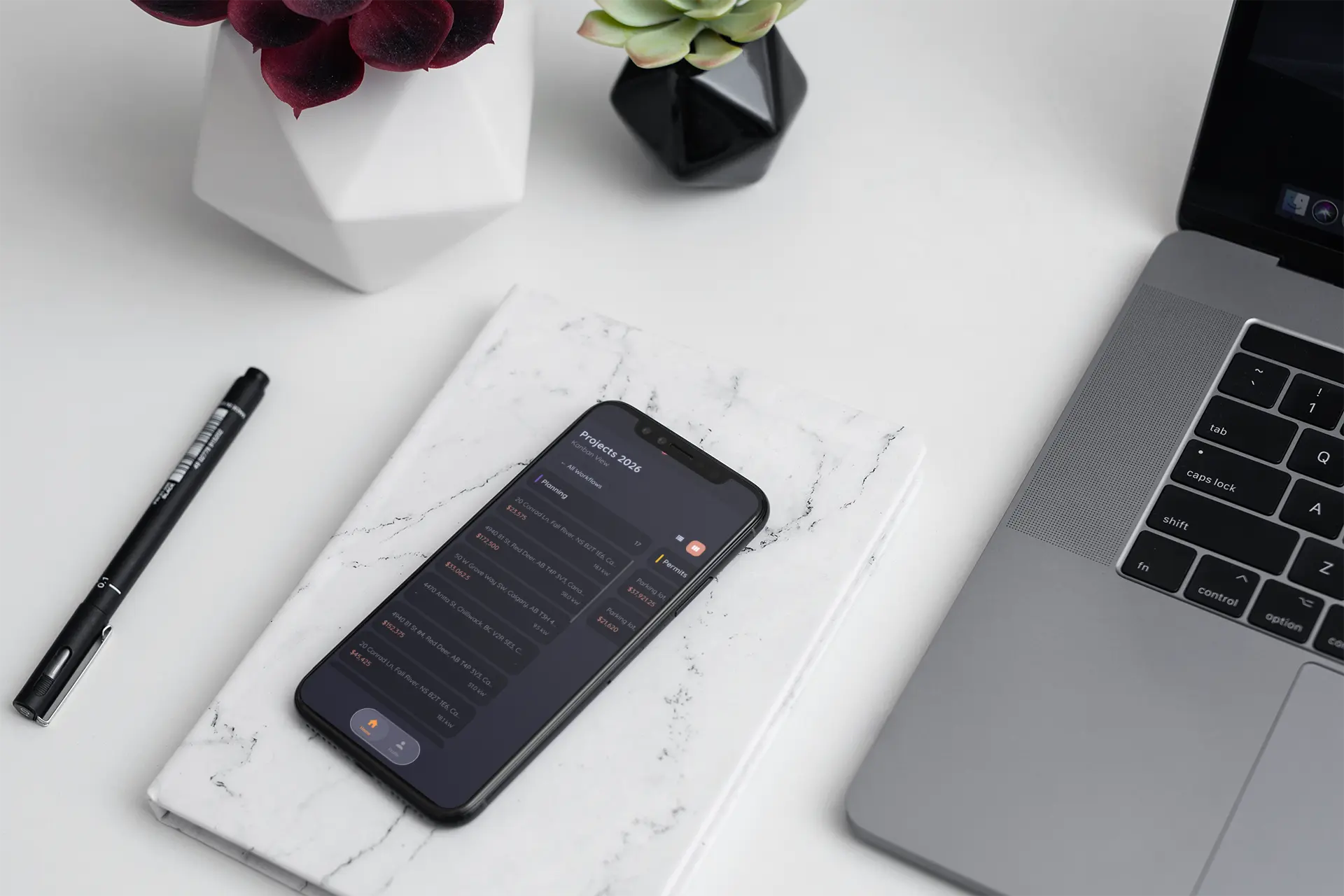
- Projects on a pipeline board, filtered to the workflows you run
- Changes sync instantly with your CRM
- Milestones surface on the customer's client portal
One app, four right-sized views.
Everyone signs into the same app and sees exactly what their job needs. You set the permissions once, and the app enforces them everywhere, down to hiding pricing from the crew.
Installers
Projects, photos, documents, checklists, and safety sign-offs. Pricing stays hidden unless you say otherwise.
Canvassers
A focused door-knocking app: map, leads, appointments, leaderboard. Nothing else to get lost in.
Sales & office
The whole pipeline in a pocket: projects on a board, tasks, equipment, pricing, and every notification that matters.
Homeowners
A window into their own project only: progress, photos, and documents. Never your internals.
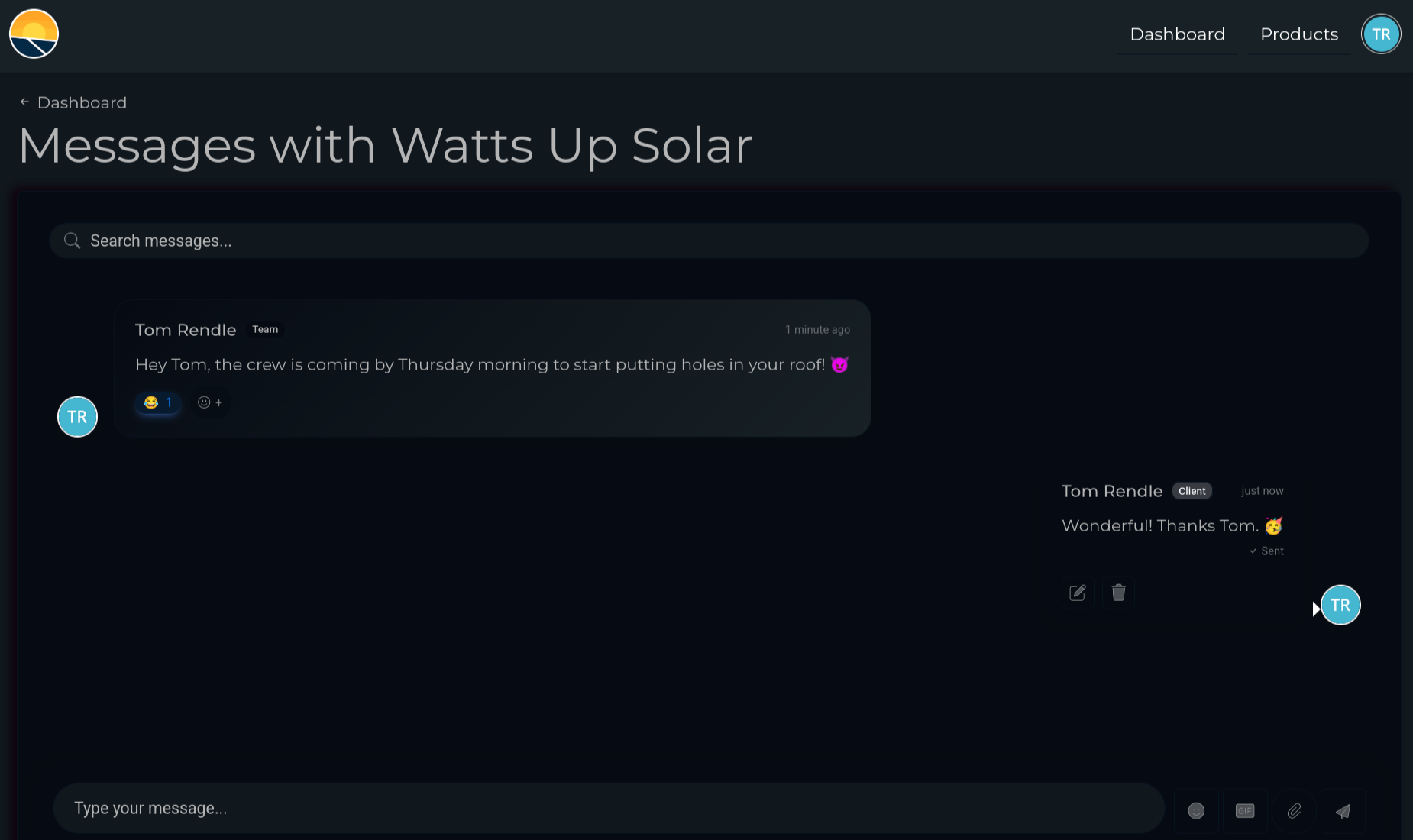
The crew posts it, the customer sees it.
Everything your crew captures in the field flows to the customer without anyone writing a recap email. Milestones light up the portal timeline, and client questions come back as notifications the crew can answer from the site.
- Progress photos and status changes surface on the customer's portal timeline
- Homeowners can sign into the app too, scoped to their own project
- Site notes, pricing internals, and team chatter stay invisible to clients
- Client messages arrive as notifications, answered from the roof instead of voicemail
Tons of features, one download.
The rest of the toolbox, included on every plan.
My Tasks
Create, assign, and check off tasks without leaving the job site.
Comments & mentions
Threaded project comments. Mention a teammate and their phone pings.
Equipment library
Browse panels, inverters, and batteries, and swap what's included on a quote.
System monitoring
Daily production charts for every system you've installed, right in the app.
Pericles AI
Ask the built-in assistant for answers and actions, included on Pro plans.
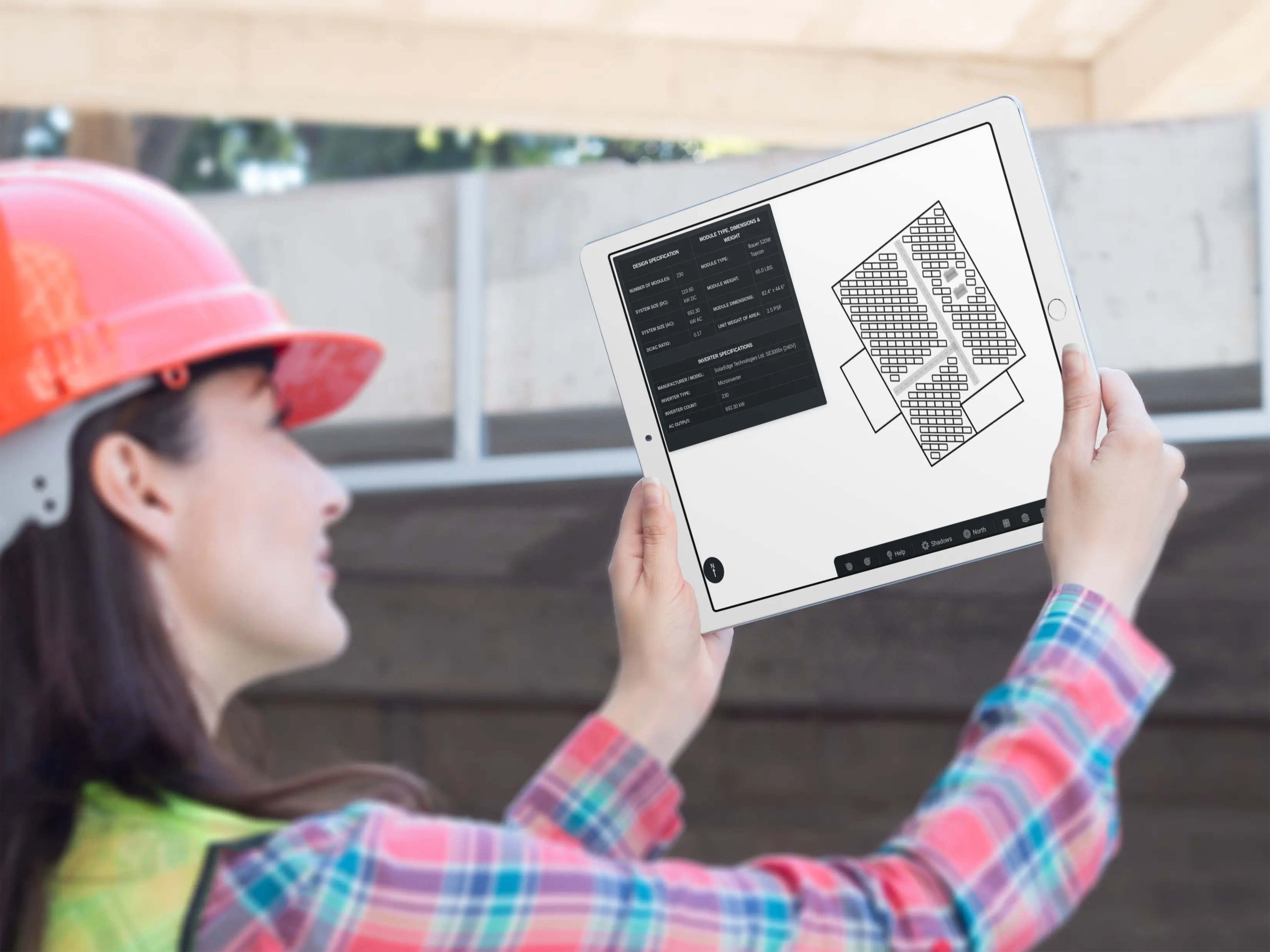
3D designs on site
Spin the customer's actual 3D model from the driveway.
Calendar & My Day
Today's visits and appointments, with Google Calendar sync, one-tap directions, and calls.
Your branding
The app wears your logo and colors, with automatic dark mode.
Passwordless sign-in
Crews log in with a magic link. No forgotten passwords in the truck.
A native companion, made for the roof.
Lilypad for Android is live on Google Play and built to keep working when the connection doesn't.
available now on Google Play
capture now, sync later
with your CRM and portal
with every Powerlily plan
Take Lilypad to the field.
Lilypad is the Android field companion to Powerlily, live on Google Play and included with every plan. Closers, canvassers, installers, and even your customers, all in one app.