From the dispatch board to the roof.
Schedule the right crew with weather, distance, capacity and skills in view. Keep customers informed when dates move. Then give installers the project context and safety forms they need in the field. One operational system, included in your plan.
A schedule that understands solar work.
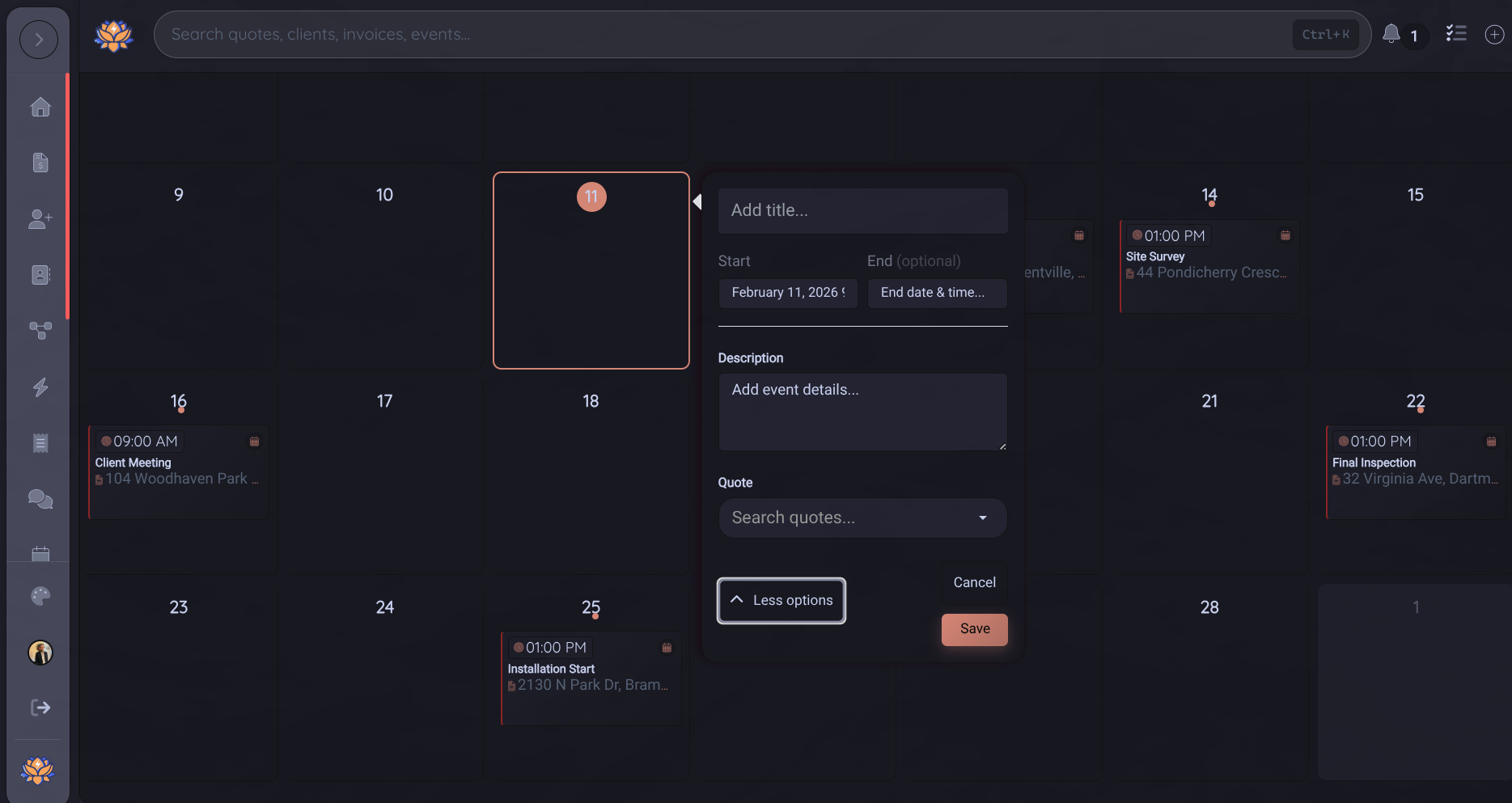
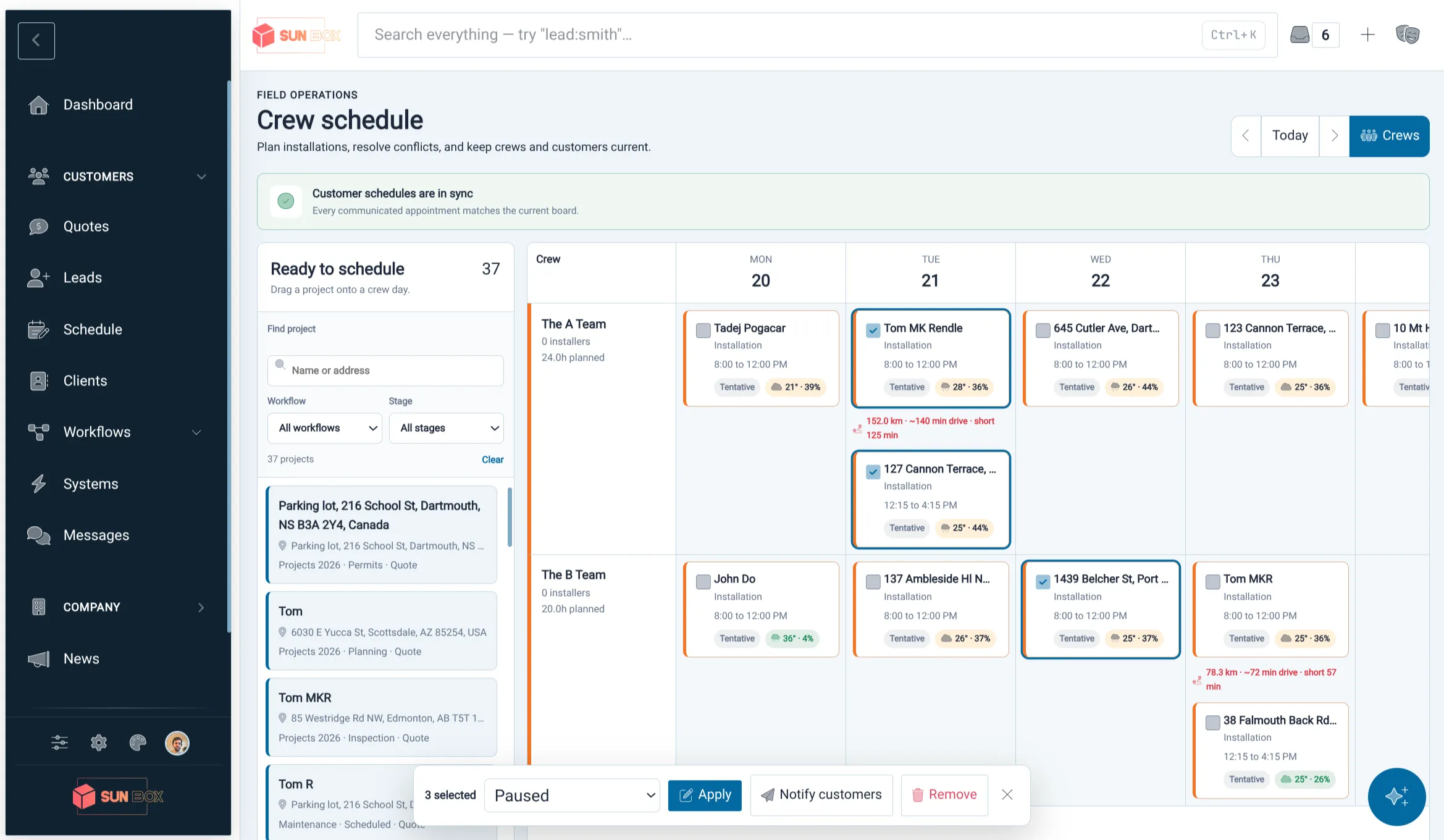
Drag a won project onto a crew day and Powerlily evaluates the plan around it: installer capacity, required skills, overlapping work, drive time between jobs, and the forecast at the site. Every block stays attached to the quote, the crew, and the customer communication that went with it.
- Filter ready work by workflow and stage, then drag it onto a crew day
- See staffing, skills, daily capacity, travel distance, and schedule conflicts before dropping
- Weather forecasts and risk indicators follow the project across the board
- Plan multiple visits for racking, electrical, inspection, commissioning, and service
- Sync each installer's assigned jobs and appointments to Google Calendar
- Optional free/busy checks warn dispatch before a personal conflict
- Installers receive their assigned schedule and project context in the mobile app
Move the date. Never lose the customer.
Powerlily remembers exactly which appointment the customer was told about. If a notified block moves, the schedule is marked out of sync until the new date is sent. Branded confirmations, reschedule notices, cancellations, acknowledgements, and calendar links all stay tied to the visit.
- Automatic detection when a notified appointment changes
- Branded email updates using your company identity
- Customer acknowledgement and add-to-calendar links
- Bulk notifications when weather or operations move a day of work
- A company-wide attention queue links directly to every out-of-sync block
The forms your crew already knows.
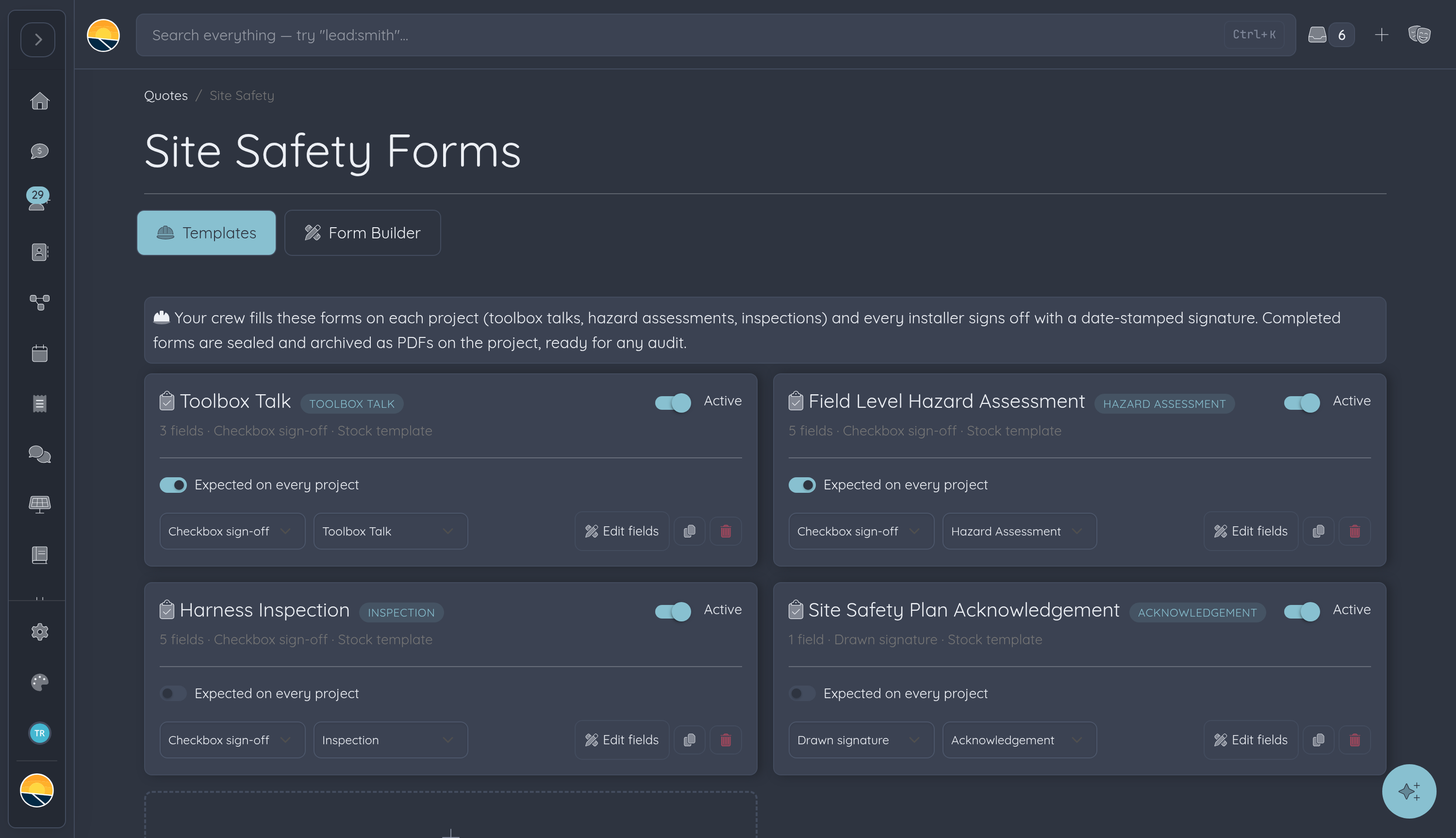
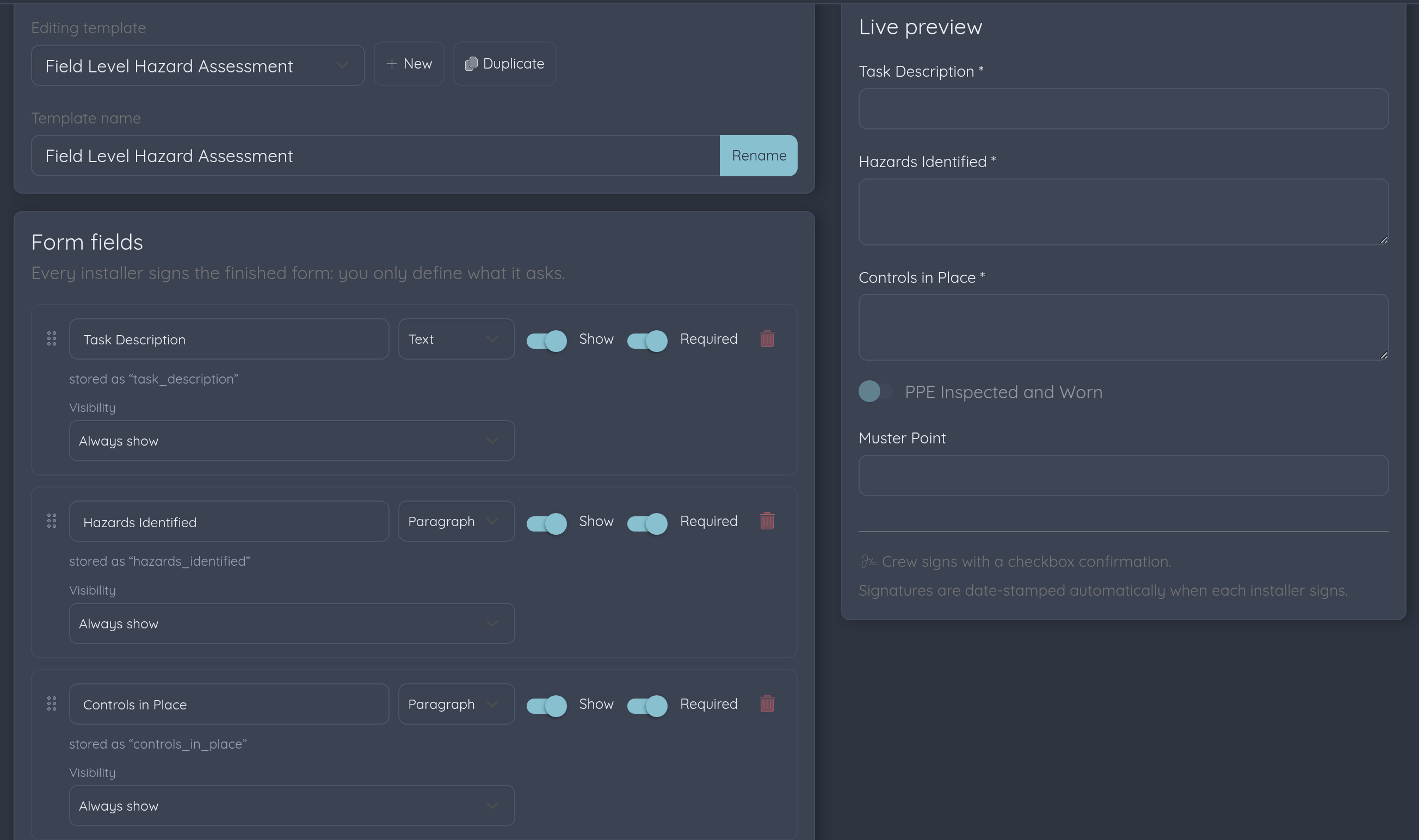
Every company starts with the standard safety paperwork built in: toolbox talks, field level hazard assessments, harness inspections, and a site safety plan acknowledgement. Use them as-is on your next install, or edit every field to match your safety program.
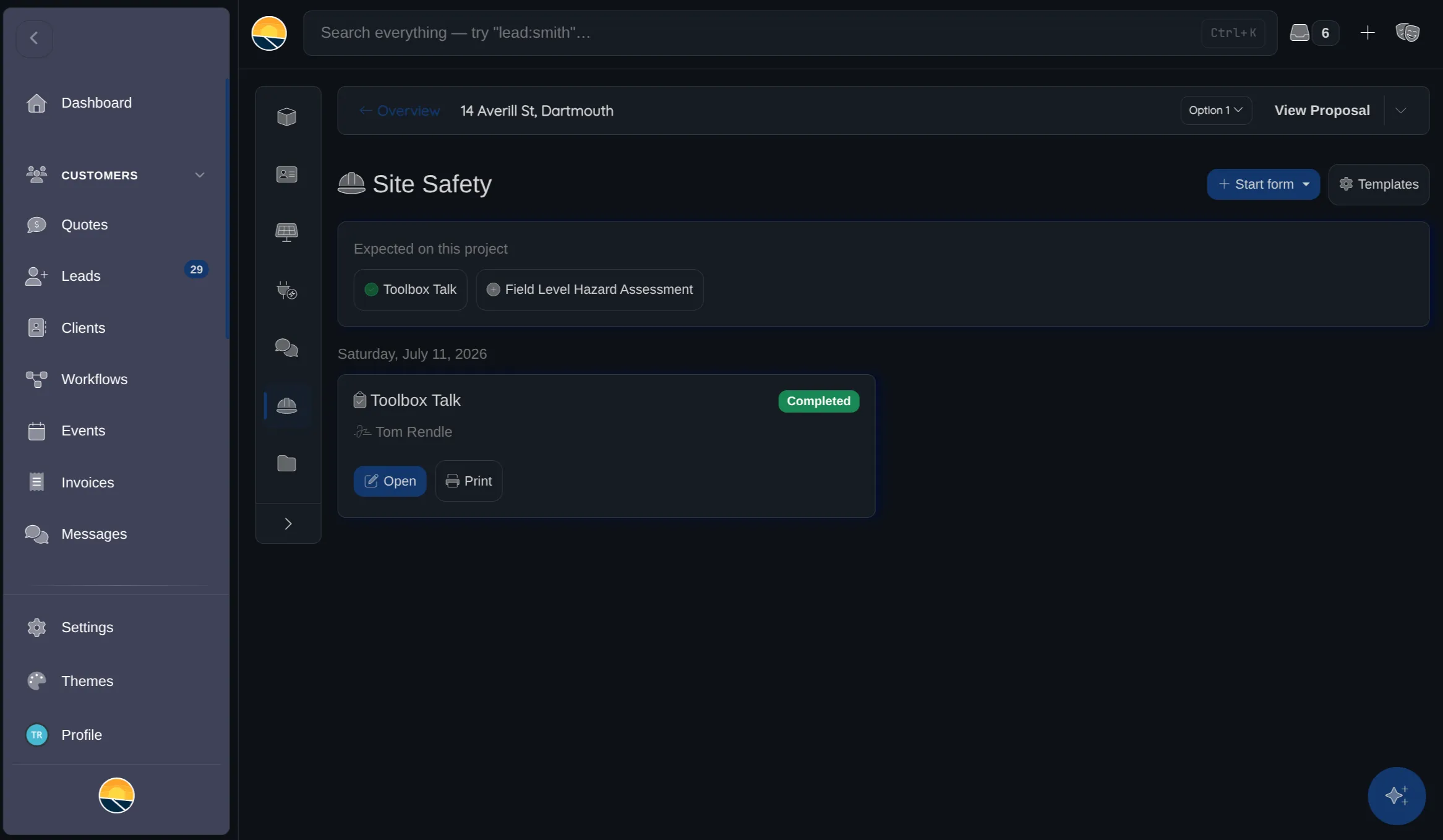
- Toolbox Talk: topic, hazards discussed, and the whole crew's signatures
- Field Level Hazard Assessment: task, hazards, controls, PPE check
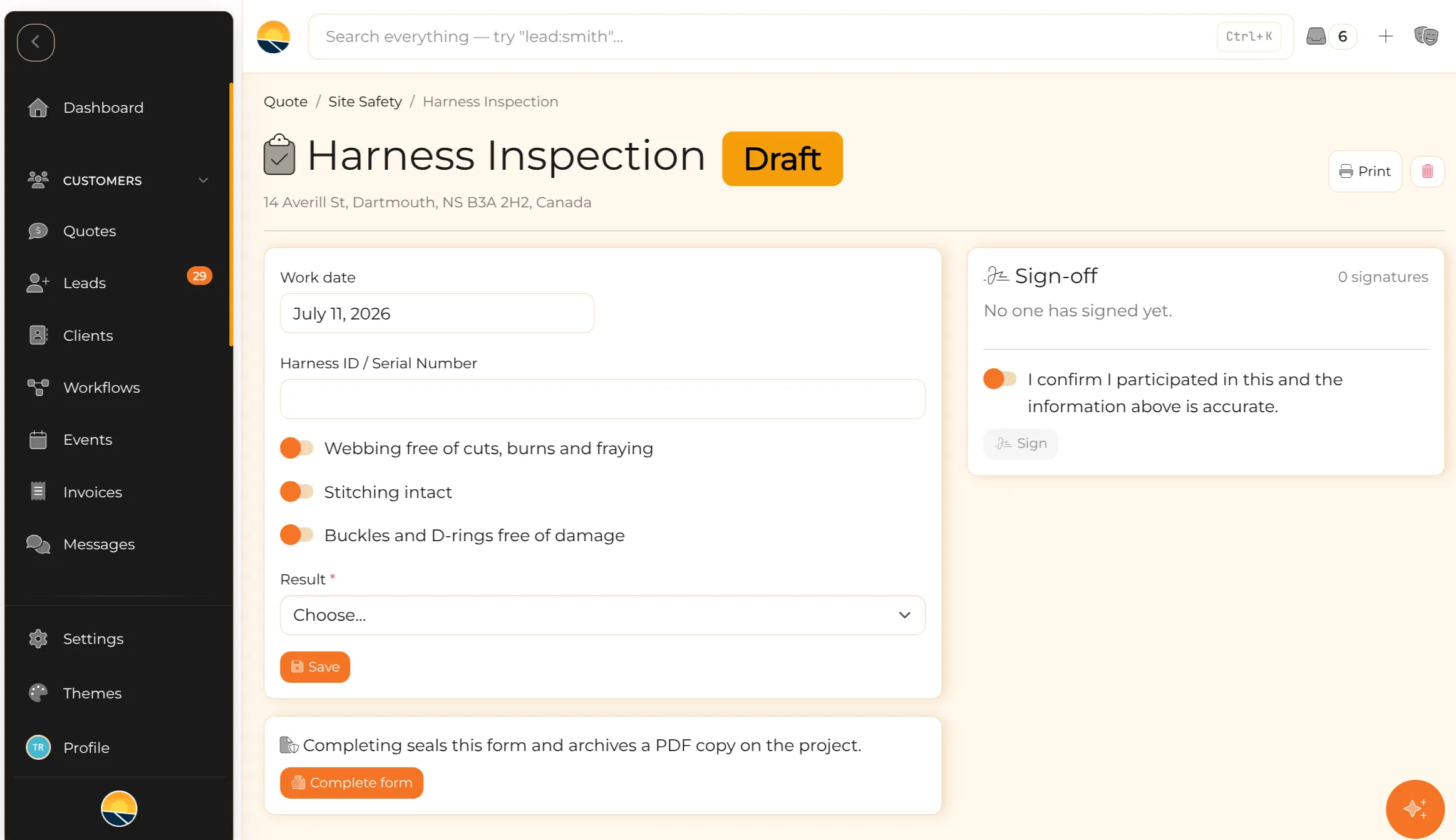
- Harness Inspection: webbing, stitching, hardware, pass or fail
- Site Safety Plan Acknowledgement: your plan, their signature
- All fully editable, rename, reorder, add your own fields
Your safety program, your forms.
Build any compliance form with the same drag-and-drop builder you use for lead capture. Add checklists, dropdowns, dates and text fields, show fields conditionally, and drop in statement blocks your crew reads and acknowledges without typing a thing.
- Drag-and-drop builder with a live preview
- Checkboxes, dropdowns, dates, numbers, text and paragraph fields
- Statement blocks for talk scripts and acknowledgement text
- Conditional fields that appear based on earlier answers
- Choose per form: quick checkbox sign-off or a drawn signature
- Mark forms as expected on every project, so nothing gets skipped
Every installer signs. Every signature holds up.
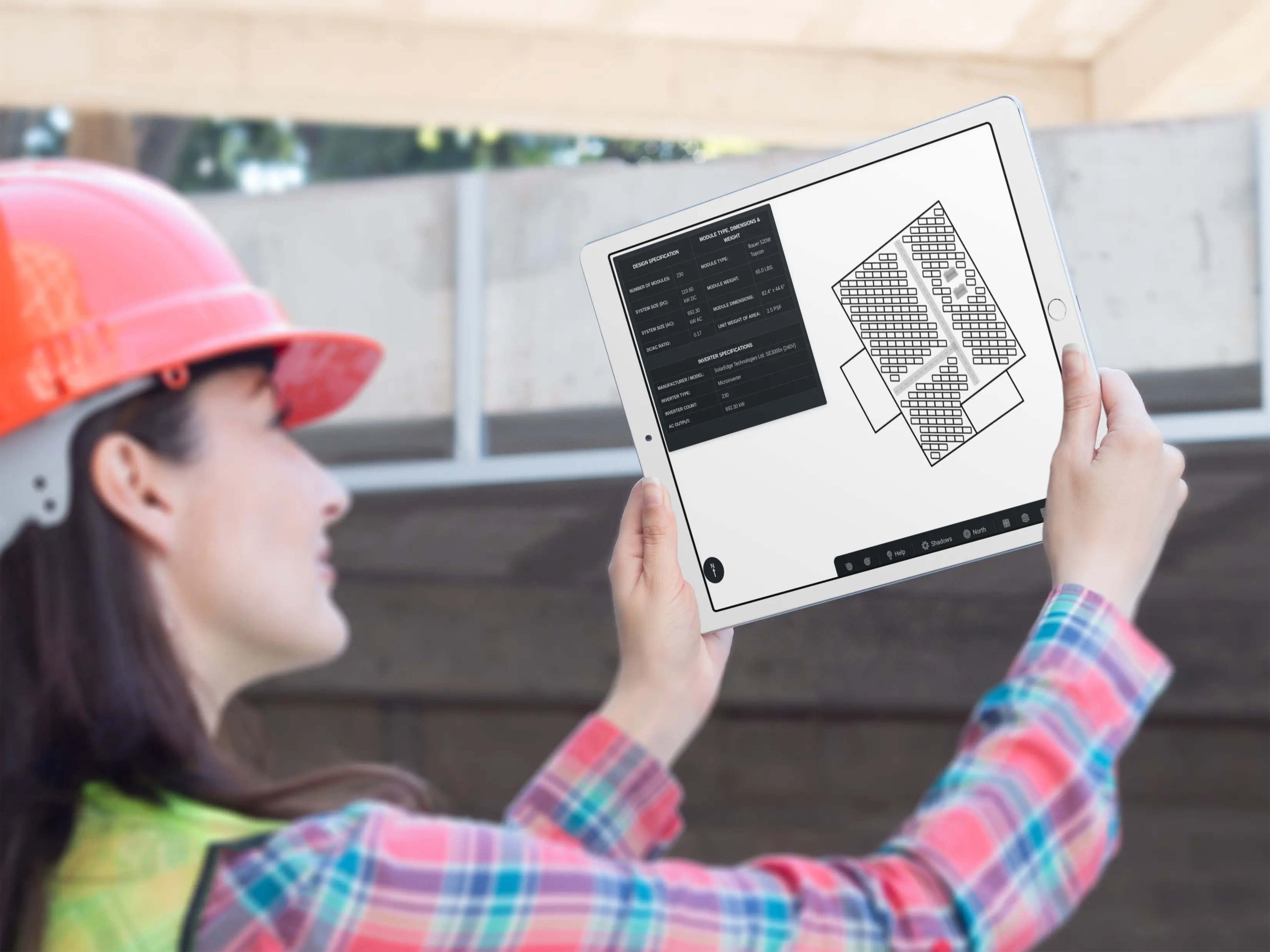
Each crew member signs the form themselves, from their own phone, right on site. The timestamp comes from the server, not the device, and an optional GPS stamp shows the form was signed at the address. Checkbox confirmation for daily talks, drawn ink for formal acknowledgements.
- One signature per crew member, with their name and role
- Date and time stamped automatically, never typed in
- Optional GPS stamp as proof the crew signed on site
- Checkbox or drawn signature, set per form
- Works in the mobile app, sign during the morning tailgate
Sealed, archived, ready for the audit.
Completing a form seals it: answers and signatures lock, and a PDF copy archives on the project next to the contracts and permits. When an auditor asks for evidence, you have exactly what they want, dated form content, who signed, and when, filed by project.
- Completed forms lock, no edits, no backdating
- Records keep their exact content even if you change the form later
- PDF archived automatically on the project's documents
- Print any form straight from the project
- Everything filed by project and work date, easy to pull for audits
Installers fill and sign. They still never see pricing.
Your install crew gets exactly the access they need: the projects they're assigned, the safety forms on them, and their own signature. Margins, invoices and leads stay hidden. Add the whole crew, it's the same unlimited-users plan.
- Installers fill and sign forms on their assigned projects only
- Pricing and financials stay completely hidden from field roles
- Office staff see compliance status across every active project
- Unlimited users, the whole crew is included in your plan
Dispatch and compliance. Already in your plan.
Contractors often pay for one product to schedule crews and another to manage field paperwork. Both workflows already belong to the project in Powerlily.
| Feature | Powerlily | Separate field apps |
|---|---|---|
| Drag-and-drop multi-crew scheduling | Dispatch app | |
| Weather, route, capacity and skills intelligence | Dispatch app | |
| Customer confirmations and reschedule detection | Dispatch app | |
| Mobile schedule and live crew status | Dispatch app | |
| Custom safety form builder | ||
| Toolbox talks with whole-crew signatures | ||
| Automatic date and time stamps | ||
| GPS stamp on signatures | ||
| Sealed records with PDF archive | ||
| Forms filed on the actual project record | Separate location setup | |
| Same login as your CRM, design tool & proposals | ||
| Compliance status next to the deal pipeline | ||
| Price | Included | Separate subscriptions |
Based on publicly available feature and pricing information for field-service and safety compliance apps. If we got something wrong, let us know.
Field operations belong with the project.
The project, crew, customer and site details are already in Powerlily. Scheduling and safety use the same record instead of making the office enter everything again.
Plan the work
Crews, weather, travel and capacity on one board.
Signed in the field
Crews sign from their phones during the tailgate.
Customers stay current
Every moved appointment is detected and communicated.
Ready to drop the separate dispatch and safety apps?
Start a subscription. Onboarding included. No per-seat fees.